One MCP endpoint.
One chat. Every agent.
A single front door for the agents and MCP servers you already run — chat in the browser, call them from Cursor or Claude Code, with RBAC deciding who can reach what.
Protocol-agnostic
Custom REST/SSE, A2A (JSON-RPC) and Google ADK agents — all behind one uniform interface.
AG-UI native
The API emits standard AG-UI events over SSE, so the UI never has to know how an agent is built.
Sessions that persist
Conversation history per agent, stored in Redis and managed by the API. Agents stay stateless.
Moderated multi-agent debates
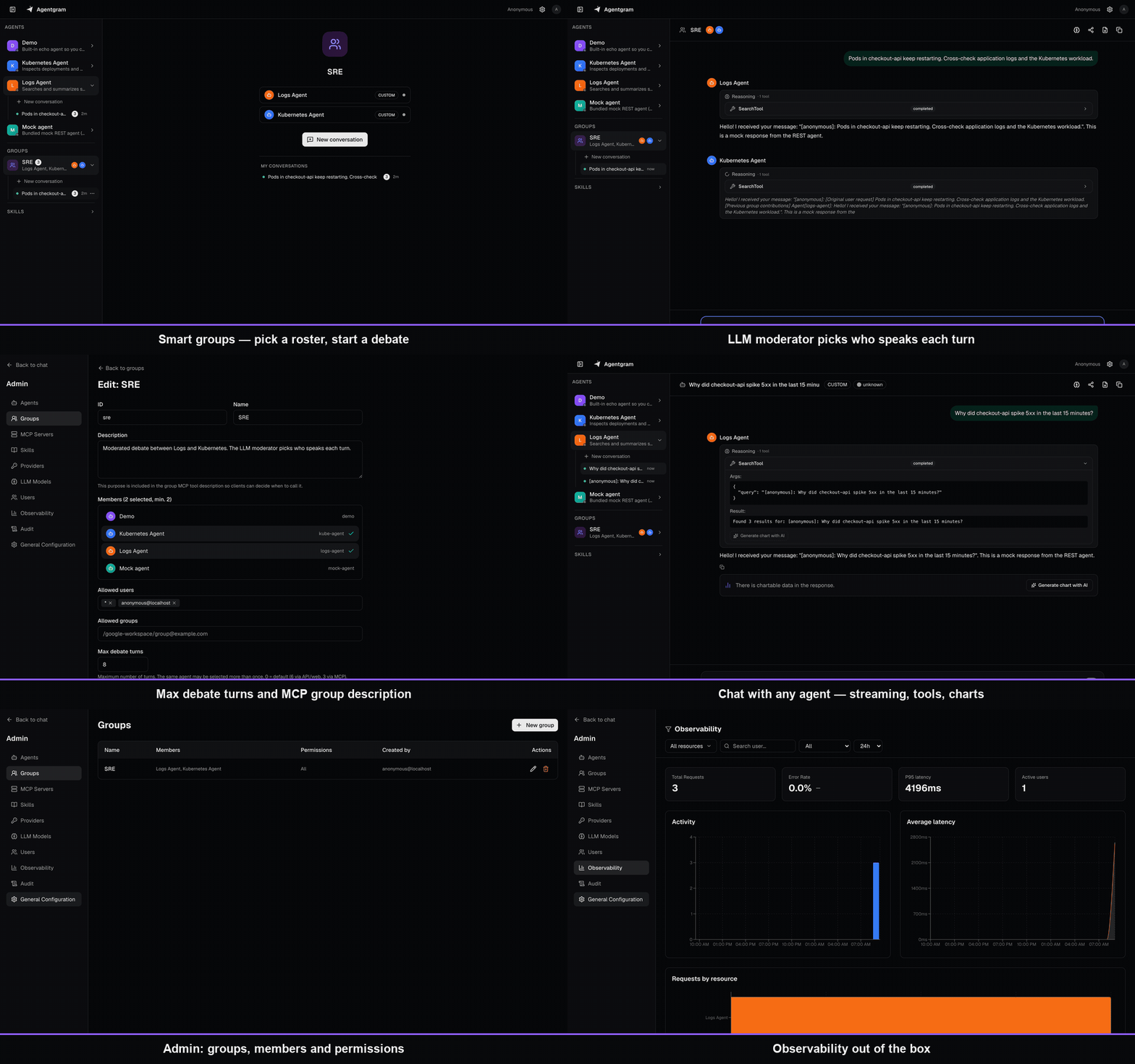
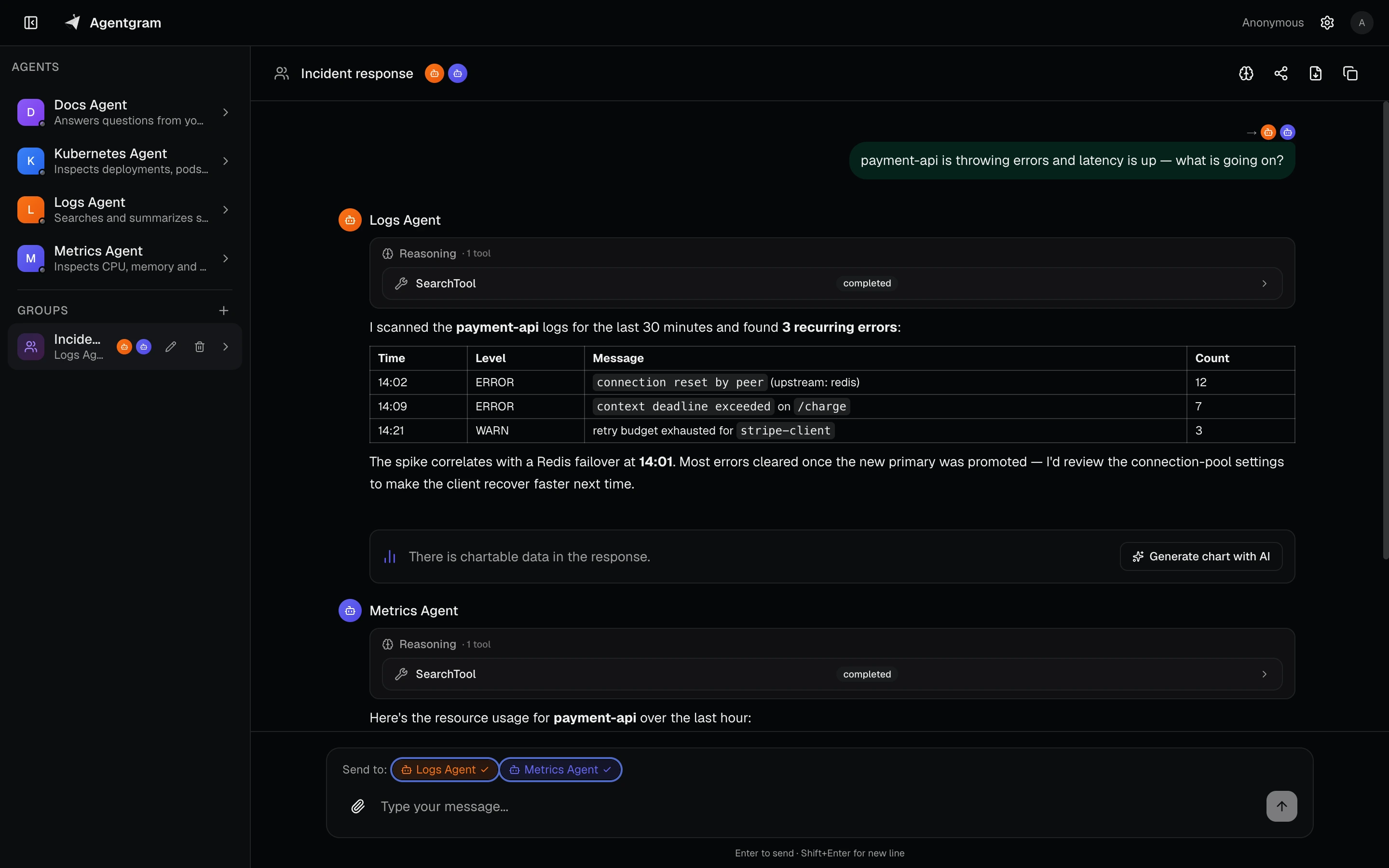
Message a group like a Telegram chat: an LLM moderator picks who answers, agents build on each other’s replies, and you get the consolidated result.
Share & collaborate
Share conversations with revocable links, and build shared multi-agent groups your team uses together.
RBAC for every agent & MCP
Fine-grained, per-agent and per-MCP access control by group or user. One endpoint; each caller only sees what they’re allowed to.
MCP server
Aggregate your agents and company MCP servers into one MCP endpoint for any compatible IDE or CLI — standard OAuth + Dynamic Client Registration, no manual setup.
Built-in observability
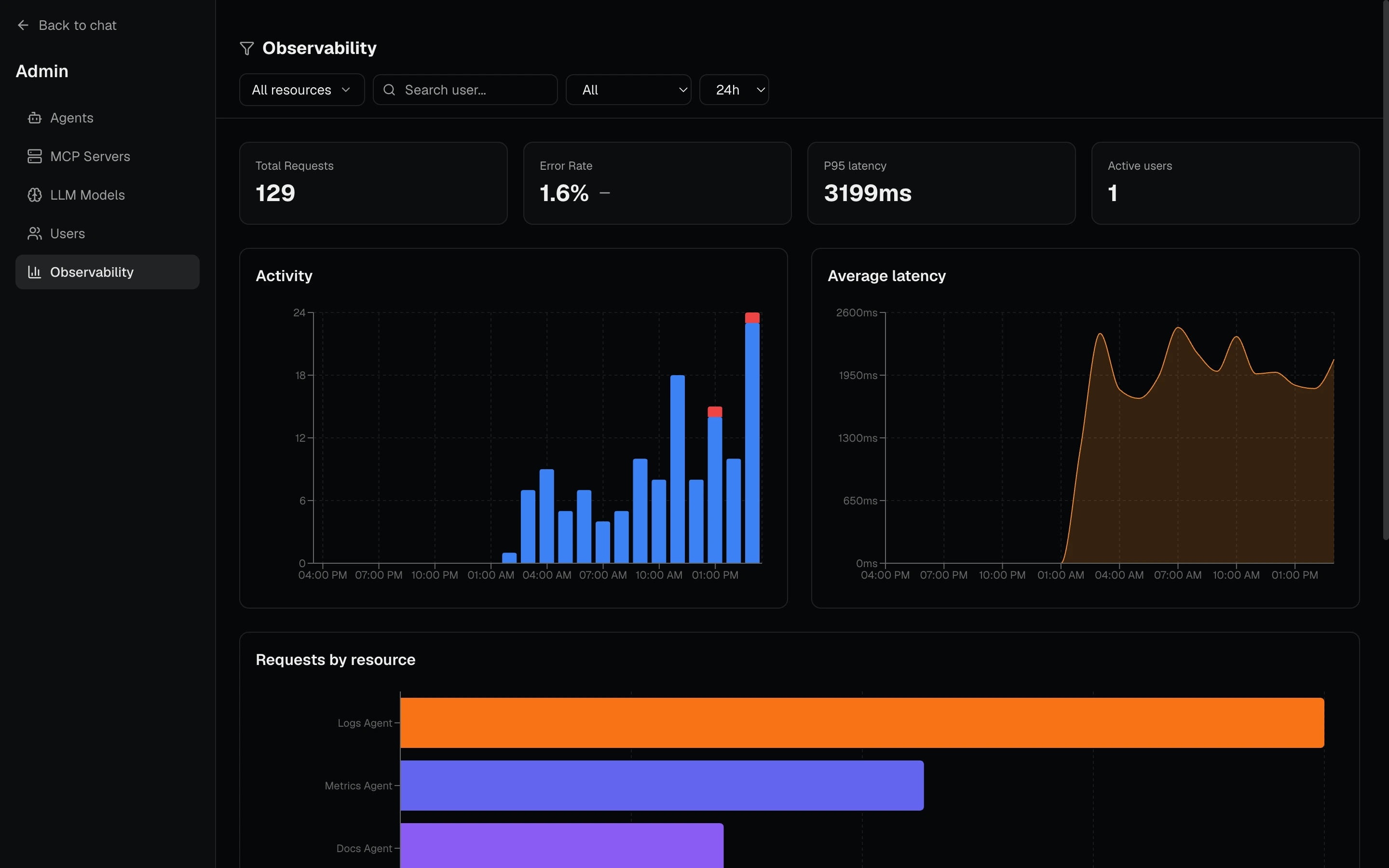
Usage, latency and cost dashboards out of the box. Plus a Slack integration.
Deploy anywhere
Published container images, a Docker Compose stack and Helm values for Kubernetes.
Three steps to one front door for every agent
Register what you already run, put it behind a single gateway, and reach it from anywhere — without each client learning a new protocol.
Register any agent
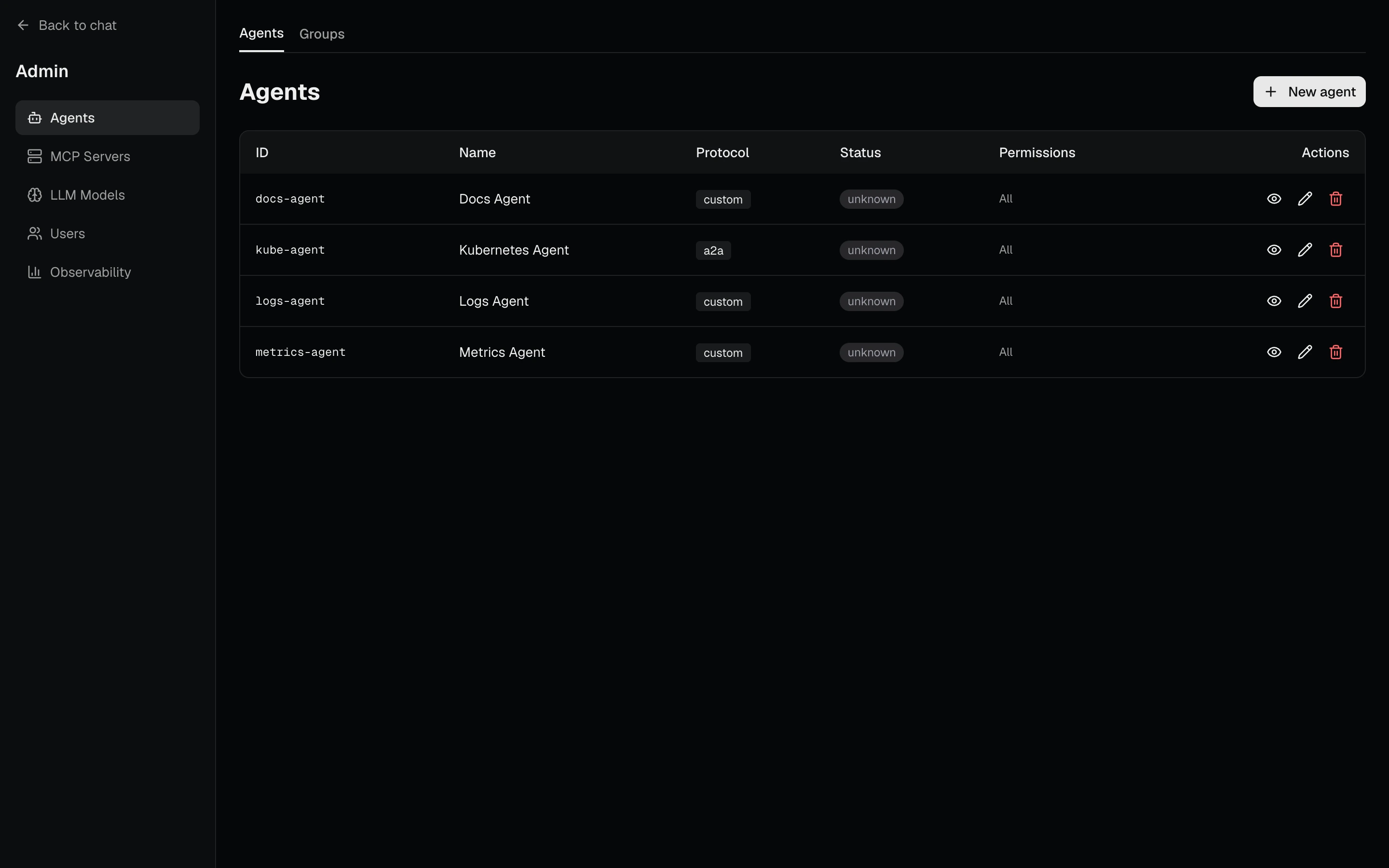
Point Agentgram at an agent’s endpoint and pick its protocol — Custom REST/SSE, A2A (JSON-RPC) or Google ADK. No redeploy: agents are managed at runtime from the admin panel and stored in PostgreSQL.
One API, one MCP endpoint — behind RBAC
Every agent and every company MCP server is reachable through a single API and a single /mcp endpoint. Role-based access control decides, per agent and per MCP server, exactly who can reach what.
Talk to it from anywhere
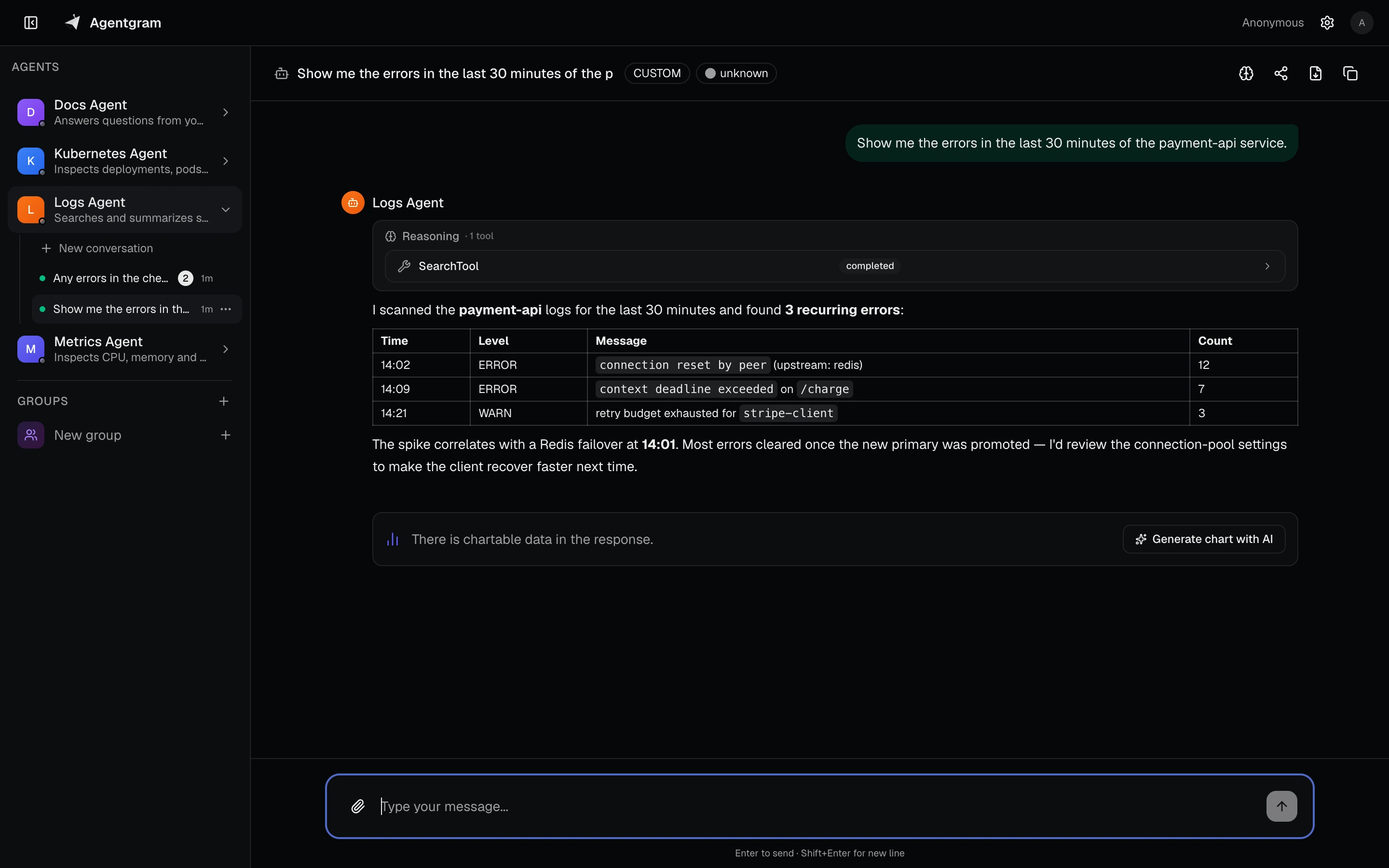
Chat from the web UI, call agents as tools from your IDE or CLI over MCP, or wire them into Slack. The API converts every protocol into a uniform stream of AG-UI events.
A thin, stateless multiplexer in the middle
Clients speak AG-UI and MCP. Agents speak their own protocol. The Go API translates between them, enforces access, and keeps the sessions.
Different protocols in. One event stream out.
Whatever an agent speaks, the web client always sees the same AG-UI events — so the UI never changes when your agents do.
A plain HTTP endpoint that streams Server-Sent Events (or returns JSON). The simplest way to plug in your own service.
POST /api/agents/{agentId}/chat
Content-Type: application/json

{ "messages": [{ "role": "user", "content": "Hello" }],
"session_id": "optional-uuid" }One gateway, many workflows
A single integration that each person experiences differently, based on what they're allowed to reach.
Bundle logs, metrics and Kubernetes agents into a team-visible group while each member keeps private, personal conversation threads.
Ask the group, not an agent: an LLM moderator picks who answers, each agent builds on previous replies, and can add a final synthesis.
Add one MCP endpoint to Claude Code or Cursor and call agents and groups as tools — ask_logs-agent, group__incident-response, and more.
Built-in dashboards break down usage, latency and error rate per agent and per user — no extra observability stack.
Send a teammate a read-only, time-limited and revocable link to a conversation. They can clone it to keep digging.
Register every agent and MCP server once; RBAC by Google Workspace group or email gives each person only what they're entitled to.
Custom REST/SSE, A2A or Google ADK — register the endpoint and it speaks AG-UI like everything else.
A real chat client, not a demo widget
Streaming responses, tool calls, smart groups with an LLM moderator, and an admin surface to manage it all.
Your agents as tools, in any MCP client
Agentgram ships a standard MCP server with OAuth and Dynamic Client Registration — connect with just the URL.
claude mcp add --transport http agentgram http://localhost:8080/mcp
# then run /mcp, pick "agentgram" and sign in once
You get one ask_<agent-id> tool per agent you can reach, plus the tools of every MCP server registered in Agentgram — all filtered by your permissions.
From a laptop to a cluster
Published container images, a Docker Compose stack and Helm values. Database migrations run automatically on startup.
Self-host the whole stack on a single VM.
curl -fsSL https://raw.githubusercontent.com/dfradehubs/agentgram/main/docker-compose.yaml -o docker-compose.yaml
docker compose up -d # web on http://localhost:3000 — demo agent ready to chatOne MCP endpoint. One chat. Every agent.
Run the full stack locally in a couple of commands, then point it at your own agents.
Open source · MIT licensed · Self-hosted